


Open business email with Webmail
Open the company mailbox securely in a browser and make Roundcube the default inbox when useful.
Before you start
- The complete email address
- The mailbox password
- The secure Webmail URL
- A modern browser
Open the Webmail URL
Use https://webmail.example.com or https://example.com:2096, replace example.com with your domain, and verify the secure lock.
https://yourdomain.com:2096
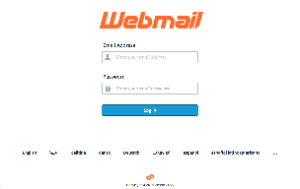
Enter mailbox credentials
Enter the full address, such as
Email Address + Password
Open Roundcube
Choose Open or the Roundcube logo to open Inbox. Enable Open my inbox when I log in to skip the selection page later.
Roundcube → Open Inbox
Test sending and receiving
Send to an external address and reply back to confirm both directions work.
Send → Reply → Confirm
Common troubleshooting
| Issue | Solution |
|---|---|
| The login is rejected | Use the full email address and reset the mailbox password if needed. |
| Webmail does not open | Try port 2096 or the hosting server URL supplied by ROT4. |
| Roundcube opens without messages | Check the selected folder, filters, and mailbox quota. |
Need help?
Send the error screenshot and service name to ROT4 support and we will help you complete the setup safely.
